Email that flies.

A fast, keyboard-first email client. Your mail lives on your computer, so lists and search never wait on the network.
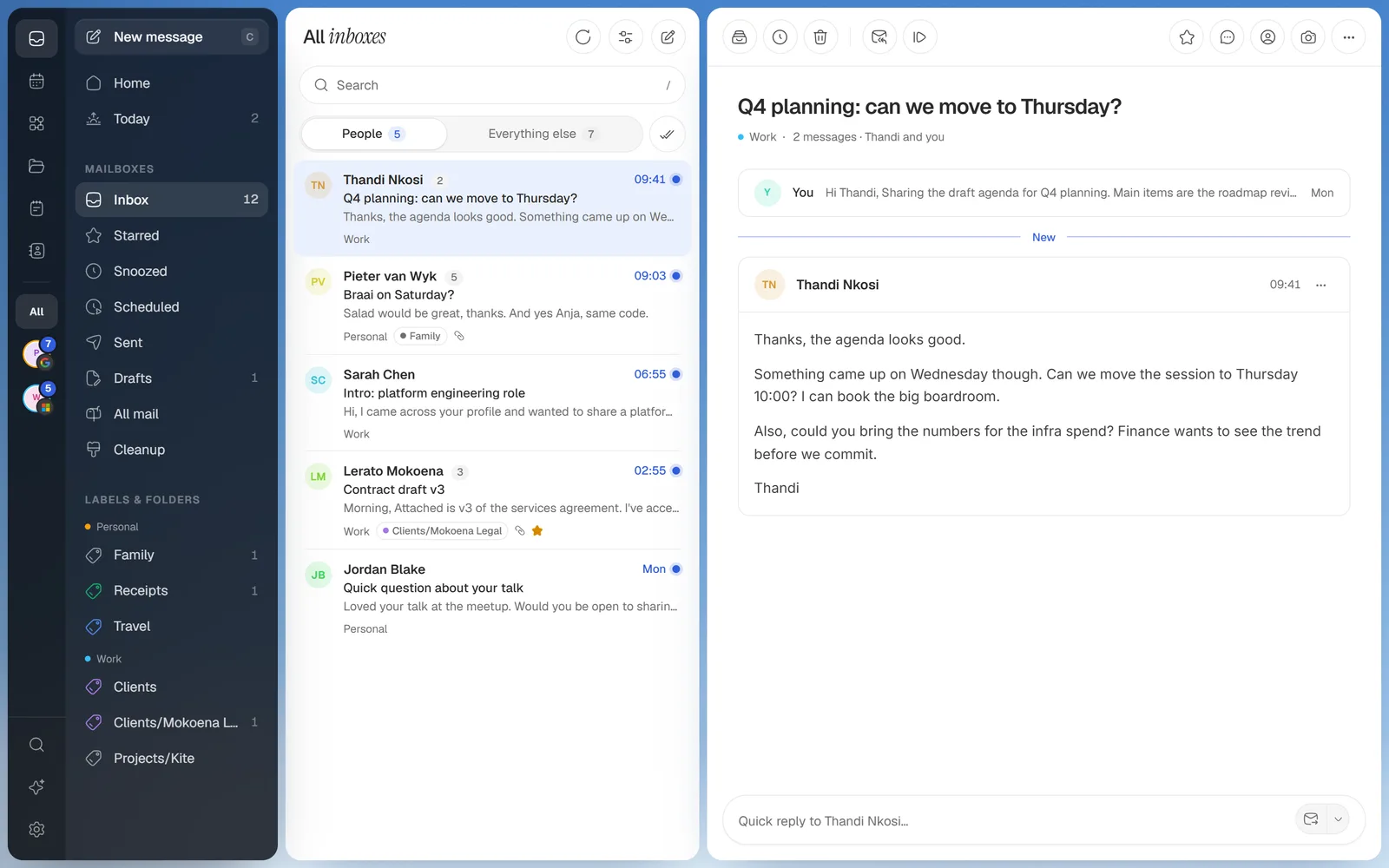
Kite
Kite's inbox: every account in one list on the left, the conversation open on the right
Features

Your whole day, one key away.

Every view has its own shortcut, and every shortcut is yours to change. Nothing here is mocked up: it's the app.

Kite
Why it exists

Your mail, on your machine.

4sec

between checks for new mail, whether Kite is in front or not. Lists and search never wait for one.

I wanted email that keeps up with my keyboard, and doesn't need someone else's server to read my own mail.

So Kite keeps a copy of your mail on your computer and answers from it. The things I do every morning became views and automations, and AI stays a layer on top: it only runs when you click it.

Yes, it's yet another email client.
1fileAll your mail, searchable, on your own PC.
0AI callsThat you didn't click. Everything works without it.
10minTo undo any move, even after a restart.
Automations

It does the chores. You decide.

Build one by example: click what to read in a real email, then switch on what happens. No AI, no rules language, and Undo for every run.

What Kite does for you By itself

Strips tracking pixelsfrom every email, and cleans tracking from links
Finds sign-in codes as they arriveone click to copy, kept for a day
Files invoices into a collectionamount, due date and the PDF, totalled by month
Remembers who owes you a replyand has the nudge ready when they go quiet

What waits for you When you say

Summarise, Draft, Rewriteyour own AI key, only the emails you picked
Every send, with Undosend later, send separately, follow up if no reply
Unsubscribe and blockfrom Cleanup, one sender or a hundred at once
Images from strangersheld until you load them, so nobody sees you opened it
Desktop app

Codes, meetings, mail. Up top.

A strip of Kite's sky floats at the top of your screen. A sign-in code drops in ready to copy, a meeting counts down with Join, and the mail you said matters comes with a quick reply. Any script on your PC can use it too.

Sign-in codes Meetings Mail with a reply
Questions

Before you take off.

Which email accounts work?
Gmail and Google Workspace, Outlook and Microsoft 365, iCloud, Yahoo, Fastmail, Zoho, GMX, AOL and any IMAP server. Type your address and Kite works out the rest, with an app password walkthrough where one is needed. Add as many accounts as you like and see them in one list.
Where does my mail live?
In a local database on your computer, next to its attachments. Your provider still keeps the original; Kite keeps a copy so lists and search answer instantly, and Disconnect removes everything tied to that account.
Do I need AI to use it?
No. Everything works without it. Connect your own key (Claude, OpenAI or a local model) and Summarise, Draft and Rewrite appear as buttons. They only see the emails you picked, every call is listed in Settings → Privacy, and you can set a daily and monthly spend limit.
"Windows protected your PC". Is it safe?
That's SmartScreen, shown for apps without a paid code-signing certificate. Click More info, then Run anyway.
What about Mac?
The desktop app is Windows for now. Tell me if you'd use it on a Mac.
v0.1.0

Let your inbox catch the wind.

Connect an account in a minute. Your mail stays yours.